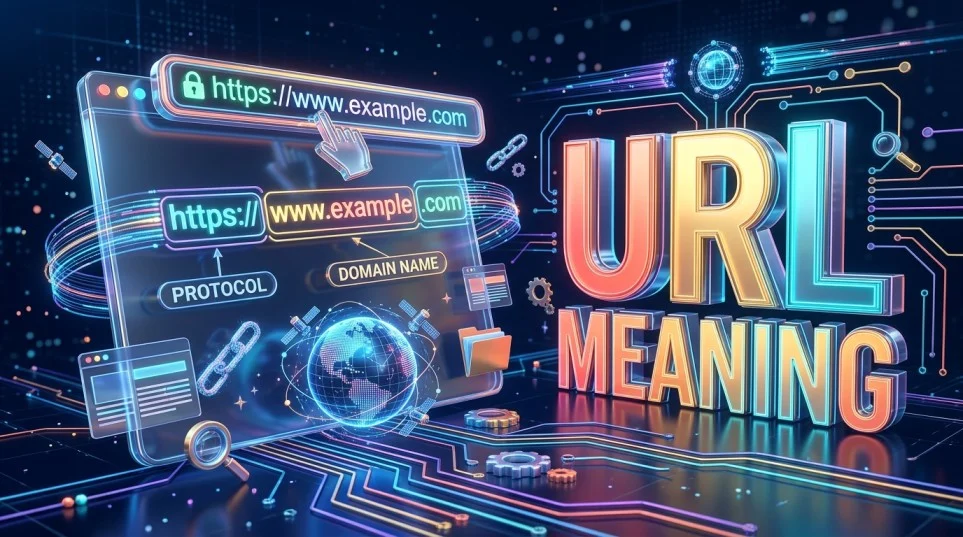
Every time you open a website, watch a video, or share a webpage with a friend, you are probably using a URL. It looks like a simple line of text, but it helps your browser locate the exact resource you want to access.
URL stands for Uniform Resource Locator. In simple words, a URL is the address used to locate a resource on the internet. It can point to a website, a specific webpage, an image, a downloadable file, or another online resource.
For example, https://example.com/blog is a URL. It tells your browser to use HTTPS to access the domain example.com and request the /blog path.
Understanding URL meaning makes everyday internet tasks easier. You can recognize website addresses, share the correct pages, understand browser errors, and identify suspicious links before opening them. You do not need technical knowledge to understand the basics.
What Does URL Stand For?

URL stands for Uniform Resource Locator. Each word describes an important part of its purpose.
| Word | Meaning |
|---|---|
| Uniform | Follows a standardized structure so software can interpret it. |
| Resource | The item being located, such as a webpage, image, or file. |
| Locator | Identifies where that resource can be accessed. |
Together, these words describe a standardized way to identify the location of a resource and the method used to access it.
A URL is not limited to a website’s homepage. For example, a website might have one URL for its homepage, another for a contact page, and a separate URL for every article it publishes.
This is why two pages on the same website can have completely different URLs.
What Is a URL in Simple Words?

Think of a URL as a street address for something on the internet.
A street address helps you find a particular building. In a similar way, a URL helps a browser locate an online resource.
For example:
Here, example.com identifies the domain, while /contact points to a particular path on that website.
If someone sends you this address, you can enter it into your browser’s address bar to request that page. If the page exists and the server allows access, the browser can display it.
There is one important difference between a physical address and a URL: a URL may identify a resource through a network service rather than describing a physical location. A webpage can also move, become unavailable, or require permission to access it.
What Does a URL Look Like? A Real Example

Consider this example URL:
Although it looks complicated at first, each section has a specific purpose.
| URL Component | Example | Purpose |
|---|---|---|
| Scheme | https | Specifies the access method. |
| Subdomain | www | Identifies a subdivision of the domain, if used. |
| Domain name | example.com | Identifies the website’s domain. |
| Path | /products/shoes | Identifies the requested route or resource path. |
| Query string | ?color=black&size=9 | Supplies additional parameters to the server or application. |
| Fragment | #details | Identifies a section or fragment within the resource. |
This is an illustrative example, not a live product page.
Not every URL contains all these components. A simple URL such as https://example.com/ may contain only a scheme, a domain, and a root path. Query strings and fragments are optional.
The exact way a server interprets a path or query depends on how the website or application is designed.
What Are the Main Parts of a URL?
Understanding the components of a URL helps you read web addresses and spot mistakes when typing or sharing them.
1. Scheme or Protocol
The scheme appears at the beginning of a URL, followed by a colon. For websites, the most common schemes are HTTP and HTTPS.
- HTTP: Hypertext Transfer Protocol, used to transfer web content.
- HTTPS: HTTP Secure, which protects the connection using TLS encryption.
HTTPS helps protect information exchanged between your browser and a website. However, an HTTPS address alone does not prove that a website is legitimate or trustworthy.
2. Domain Name
The domain name identifies the domain through which a website or service is accessed.
For example, in https://example.com/about, the domain is example.com.
A domain can be registered and configured to direct traffic to the appropriate internet services. The Domain Name System (DNS) helps translate domain names into information used to route network connections.
3. Subdomain
A subdomain is an additional label placed before the main domain.
Examples include:
blog.example.comshop.example.comsupport.example.com
A website may use subdomains to organize different services. However, not every website needs them.
4. Path
The path follows the domain and usually begins with a forward slash.
For example:
The path is /guides/url-basics.
A path often corresponds to a page or resource, but modern websites can generate content dynamically. The path does not necessarily reveal the physical location of a file on the server.
5. Query Parameters
Query parameters appear after a question mark (?). Multiple parameters are commonly separated by ampersands (&).
Example:
Here, q=url and category=technology are query parameters.
They may help a website process searches, filters, sorting preferences, or other information. Some URLs also contain tracking parameters used to measure traffic sources.
Be careful when sharing URLs containing private information, session identifiers, or sensitive tokens. A URL may be saved in browser history, logged by services, or exposed through sharing.
6. Fragment Identifier
A fragment begins with a hash symbol (#).
Example:
The fragment is examples.
It often directs the browser to a particular section of a page. On some websites, fragments also help client-side applications manage navigation.
In ordinary HTTP requests, the fragment is handled by the browser and is not sent to the server as part of the request target.
How Does a URL Work?
A URL provides the information a browser needs to request a resource. The process usually involves several steps.
- You enter or select a URL. You can type it into the address bar, click a link, or open a saved bookmark.
- The browser interprets the address. It identifies the scheme, hostname, path, and any relevant parameters.
- The browser locates the server. DNS may be used to resolve the domain name into network addresses.
- The browser establishes a connection. For HTTPS, the connection normally includes a TLS handshake to help authenticate the server and protect data in transit.
- The browser sends a request. It asks the server for the requested resource.
- The server responds. The response may contain a webpage, a file, a redirect, or an error.
- The browser processes the response. If the response contains a webpage, the browser interprets its content and may request additional resources such as stylesheets, scripts, and images.
These steps can vary depending on browser caches, redirects, network configuration, and the type of resource being accessed.
For example, when you visit https://example.com/about, the browser requests the resource associated with that address. The server may return the About page, redirect you to another URL, or report that the resource is unavailable.
A URL identifies the resource being requested, but it does not guarantee that the resource exists or can be accessed.
What Is the Purpose of a URL?
URLs make it possible to locate, access, and share resources across the web. Without a consistent addressing system, navigating between online resources would be much more difficult.
Common uses include:
- Opening websites: Enter a URL to visit a homepage or another page.
- Sharing content: Send a direct address to a specific article, video, or document.
- Downloading files: Access resources such as PDFs, images, and software packages.
- Navigating online services: Open account pages, product listings, or support resources.
- Linking between pages: Help users move from one resource to another.
- Accessing specific content: Use paths, query parameters, or fragments to request particular views or sections.
For example, sharing a URL to a specific recipe is more useful than sharing only the website’s homepage because the reader can go directly to the intended content.
What Are the Different Types of URLs?
The term “URL types” can describe different classifications. Some refer to how an address is written, while others describe how a website uses it.
Absolute URL
An absolute URL provides the complete address needed to identify a resource, including its scheme and authority when applicable.
Example:
It is useful when linking to a resource from another website or document.
Relative URL
A relative URL specifies a resource in relation to a base URL.
Example:
/blog/article
If used on https://example.com, this path can resolve to https://example.com/blog/article.
Relative URLs are common in website navigation because they can make links easier to maintain across environments or domains.
Static URL
A static URL is commonly used for a resource with a stable address.
Example:
The address may stay the same even when the page content is updated. “Static URL” does not necessarily mean that the underlying content never changes.
Dynamic URL
A dynamic URL may contain parameters used to generate or filter content.
Example:
The website may use these parameters to display a particular category or sorting order.
Dynamic URLs are not automatically problematic. Their usefulness depends on how the website handles parameters and duplicate views.
Canonical URL
A canonical URL is the preferred URL specified for a page when multiple addresses may contain the same or very similar content.
Website owners can use a canonical link element to indicate their preferred version to search engines. This is a signal, not an absolute guarantee that a search engine will select that exact URL.
For example, a website may have several tracking-parameter versions of the same article but identify one clean address as its canonical URL.
URL Slug
A URL slug is the descriptive part of a path that commonly identifies a page.
Example:
In this example, url-meaning is the slug.
Readable slugs help people understand what a page covers before opening it. They should be descriptive, concise, and relevant to the actual page.
What Is the Difference Between a URL, a Link, and a URI?
These terms are related, but they do not mean exactly the same thing.
| Term | Meaning | Example |
|---|---|---|
| URL | An address that locates a resource | https://example.com/about |
| Link | A clickable or otherwise actionable reference to a destination | A button labeled “About Us” that opens a webpage |
| URI | A Uniform Resource Identifier, a broader category for identifying resources | https://example.com/about |
A URL is a type of URI. A link is a reference or navigation mechanism that may use a URL as its destination.
For example, the text “Read our guide” can be a clickable link. The URL behind that text might be https://example.com/guide.
The text displayed to the reader does not need to match the underlying URL.
URL vs. URI
A URI identifies a resource. A URL identifies a resource by specifying how and where it can be accessed. In modern web usage, the terms overlap because URLs are a category of URIs.
URL vs. Link
A URL is the address itself. A link is the reference a person clicks or activates to navigate to that address.
You can copy a URL without creating a link, and a link can display friendly text instead of showing the full URL.
How to Find, Copy, and Share a URL
Finding a URL is straightforward once you know where to look.
On a Computer
- Open the webpage in your browser.
- Click the address bar at the top of the window.
- Select the displayed URL.
- Copy it using
Ctrl + Con Windows orCommand + Con Mac. - Paste it into a message, email, or document.
You can also right-click a link on a webpage and select the option to copy its link address. This is helpful when you want to share a destination without opening it first.
On a Mobile Phone
- Open the page in your mobile browser.
- Tap the address bar or browser menu.
- Use the available copy or share option.
- Paste the URL into a message or another app.
The exact steps vary by browser and device.
How to Check if You Have the Correct URL
Before sharing an address, check that:
- The domain is spelled correctly.
- The URL points to the intended page rather than the homepage.
- The link does not contain private information.
- The address uses the expected domain for the service.
- The page opens successfully, if you can safely test it.
If you are unsure about a link sent by someone else, do not open it simply because it looks familiar. Check the domain carefully, particularly when the message asks for passwords, payments, or personal information.
How to Recognize a Suspicious URL
Not every URL is safe. Some malicious addresses are designed to imitate trusted websites or trick users into revealing information.
Watch for these warning signs:
- Misspelled domains: A fraudulent address may use a name that looks similar to a well-known brand.
- Unexpected subdomains: A trusted name appearing inside a longer, unfamiliar domain does not automatically make that domain legitimate.
- Unusual requests: Be cautious if a link unexpectedly asks for passwords, payment details, or verification codes.
- Shortened URLs: A shortened address hides the final destination, so verify it before opening if you do not trust the sender.
- Unexpected downloads: Avoid downloading files from unfamiliar websites without checking their legitimacy.
Consider these illustrative addresses:
The second address belongs to the malicious.test domain, not example.com. Reading from right to left through the domain labels can help you identify the actual registered domain, although real domain boundaries and public suffixes can require closer inspection.
Remember that HTTPS protects the connection, but it does not certify that the website itself is honest. Scammers can also use HTTPS.
Does a URL Affect Website Visibility in Search Engines?
A URL helps browsers and search engines discover and identify web resources. Its structure can also help people understand what a page covers.
A clear URL is generally easier to read and share than a long address filled with unnecessary parameters. For example:
is more descriptive to a reader than an address containing unrelated numbers and tracking parameters.
For website owners, useful URL practices include:
- Use descriptive paths that match the page content.
- Keep URLs reasonably short without removing necessary meaning.
- Use consistent URL formats across the website.
- Avoid creating unnecessary duplicate versions of the same page.
- Redirect old URLs when content moves permanently.
- Use canonical signals when appropriate.
- Ensure important pages can be reached through crawlable links.
- Keep internal links pointed to the intended, preferred URLs.
However, a clean URL alone does not guarantee search visibility or indexing. Search engines also consider factors such as content quality, accessibility, internal linking, duplication, and other technical signals.
If a page is not appearing in search results, check its indexing status and accessibility rather than assuming its URL is the only problem.
Common URL Mistakes and How to Fix Them
Small URL mistakes can prevent a page from opening or make it harder to share the right resource.
| Common Mistake | Why It Matters | Practical Fix |
|---|---|---|
| Typing the wrong domain | The address may lead to a different site or fail to load. | Check the spelling carefully. |
| Sharing the homepage instead of a specific page | The recipient must search for the intended content. | Copy the URL of the exact page. |
| Keeping unnecessary parameters in shared links | The address may be longer than needed or expose tracking information. | Remove parameters only when you know they are unnecessary. |
| Changing an established page URL without a redirect | Existing links may stop working. | Set up an appropriate redirect. |
| Assuming HTTPS means a site is trustworthy | Fraudulent sites can also use HTTPS. | Verify the domain and context. |
| Using unclear URL slugs | Readers may struggle to understand the page topic. | Use a concise, descriptive path. |
A useful habit is to test important links after publishing a page or updating its address. This simple check can catch broken links before readers encounter them.
Frequently Asked Questions
1. What does URL mean?
URL means Uniform Resource Locator. It is an address used to locate and access a resource on the internet or another network.
2. What is the full form of URL?
The full form of URL is Uniform Resource Locator.
3. What is a URL example?
4. What are the three main parts of a URL?
A simple website URL commonly includes a scheme, a domain name, and a path. For example, https://example.com/about contains https, example.com, and /about.
5. Is a URL the same as a website?
No. A website is a collection of related online resources, while a URL is an address that can identify a particular resource, such as a homepage, article, image, or file.
6. What is the difference between HTTP and HTTPS in a URL?
HTTP is a protocol for transferring web content. HTTPS uses HTTP over a connection protected by TLS, helping protect information exchanged between the browser and server.
7. Can a URL contain spaces?
Spaces are not used literally in the standard URL syntax. Depending on the context, a space may be encoded as %20 or represented as + in form-encoded query data. The correct representation depends on the component and encoding rules.
8. What happens if a URL does not work?
The page may have moved, the address may be incorrect, the server may be unavailable, or access may be restricted. Check the spelling, try the correct homepage, and look for an updated link if the problem continues.
9. Is every URL safe to open?
No. A URL can lead to a legitimate page, a misleading website, or a harmful download. Check the domain and the source of the link before opening unfamiliar addresses.
10. Can two different URLs lead to the same page?
Yes. Redirects, tracking parameters, alternate URL formats, or website configurations can cause different URLs to display the same or very similar content. Website owners can use redirects and canonical signals to help manage these versions.
Conclusion
Understanding URL meaning helps you navigate the internet with more confidence. A URL, or Uniform Resource Locator, acts as an address for an online resource. Its components can tell you which access method is being used, which domain is involved, which path is requested, and whether additional parameters are included.
Knowing how URLs work makes it easier to copy the correct page, share useful resources, understand common web errors, and recognize suspicious addresses. For website owners, descriptive and consistent URLs also support clear navigation and easier website maintenance.
The main thing to remember is simple: a URL identifies an address, but it does not guarantee that the destination exists, is available, or is safe. Always check unfamiliar links before trusting them.